Know more. Fly smarter.
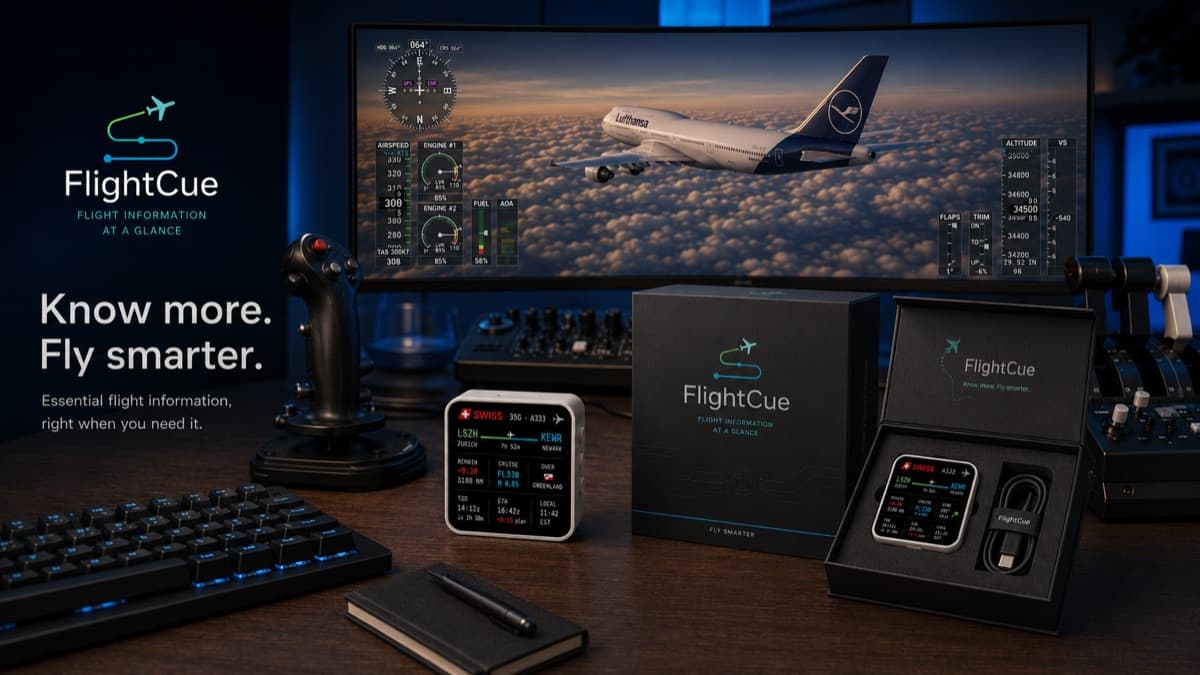
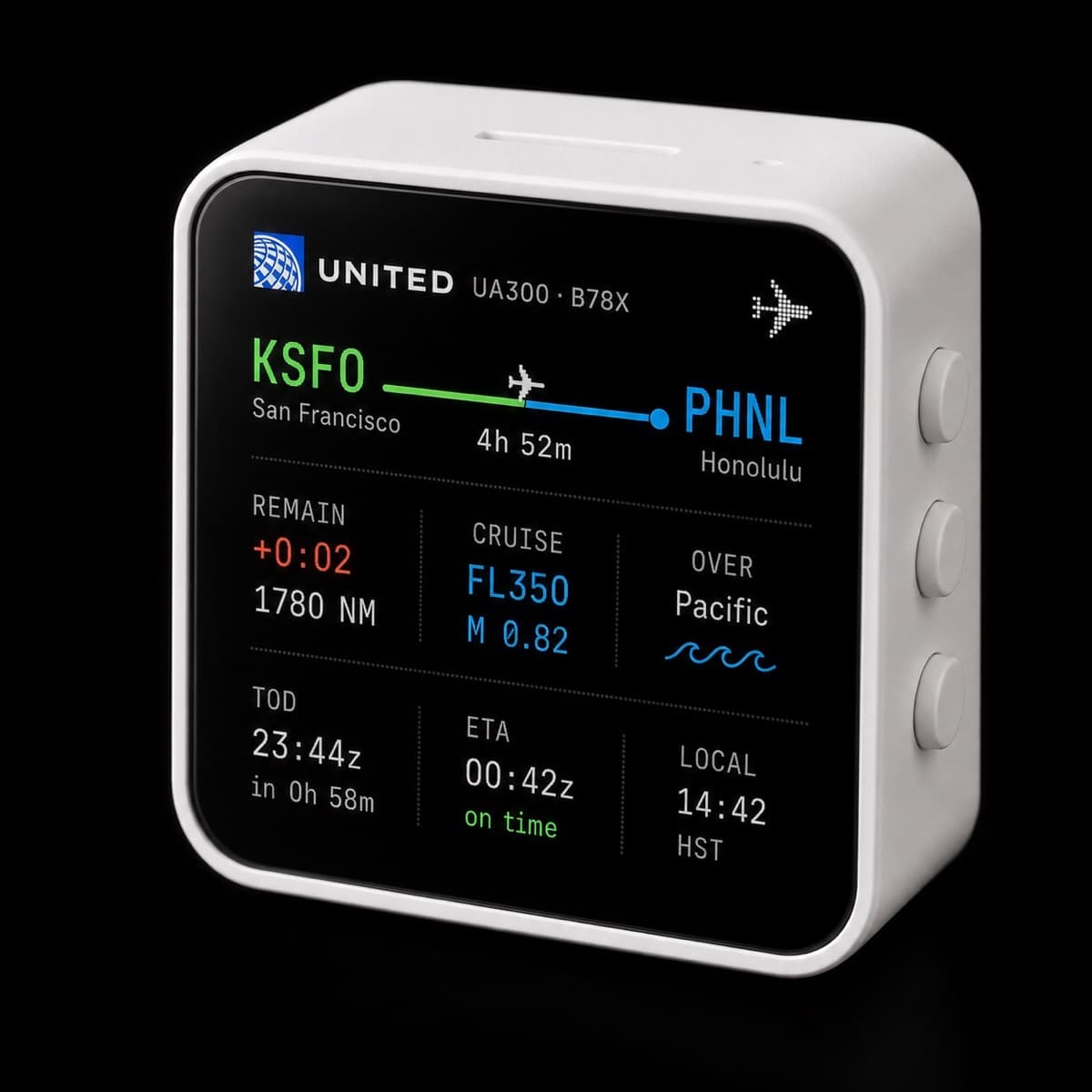
FlightCue is a compact Wi-Fi cockpit display for Microsoft Flight Simulator. It connects to your PC through the FlightCue Bridge — or pulls data directly from VATSIM — and shows live route, ETA, altitude, speed, wind and flight status right on your desk.
- 📡 Wi-Fi connected
- 🔌 USB-C powered
- 🖥️ MSFS + VATSIM
- ✈️ Works with any setup
- 🚀 Ships June 1, 2026
Your sim looks amazing.
But your flight data is hidden.
Microsoft Flight Simulator gives you a stunning cockpit view — but the information you need is often buried in cockpit screens, overlays, menus or second monitors. FlightCue keeps the essentials always visible, right next to your controls.
No more window switching
Keep ETA, route and flight status visible without leaving the cockpit view.
Less screen clutter
Move essential data away from your main monitor and let MSFS run full-screen.
More cockpit feeling
A dedicated physical display makes your sim setup feel more like a real cockpit.
Ready in minutes.
Install once. Glance forever.
- Step 01
Pick your data source
MSFS via the FlightCue Bridge app, or VATSIM directly via cloud — no PC app needed.
- Step 02
Power & connect
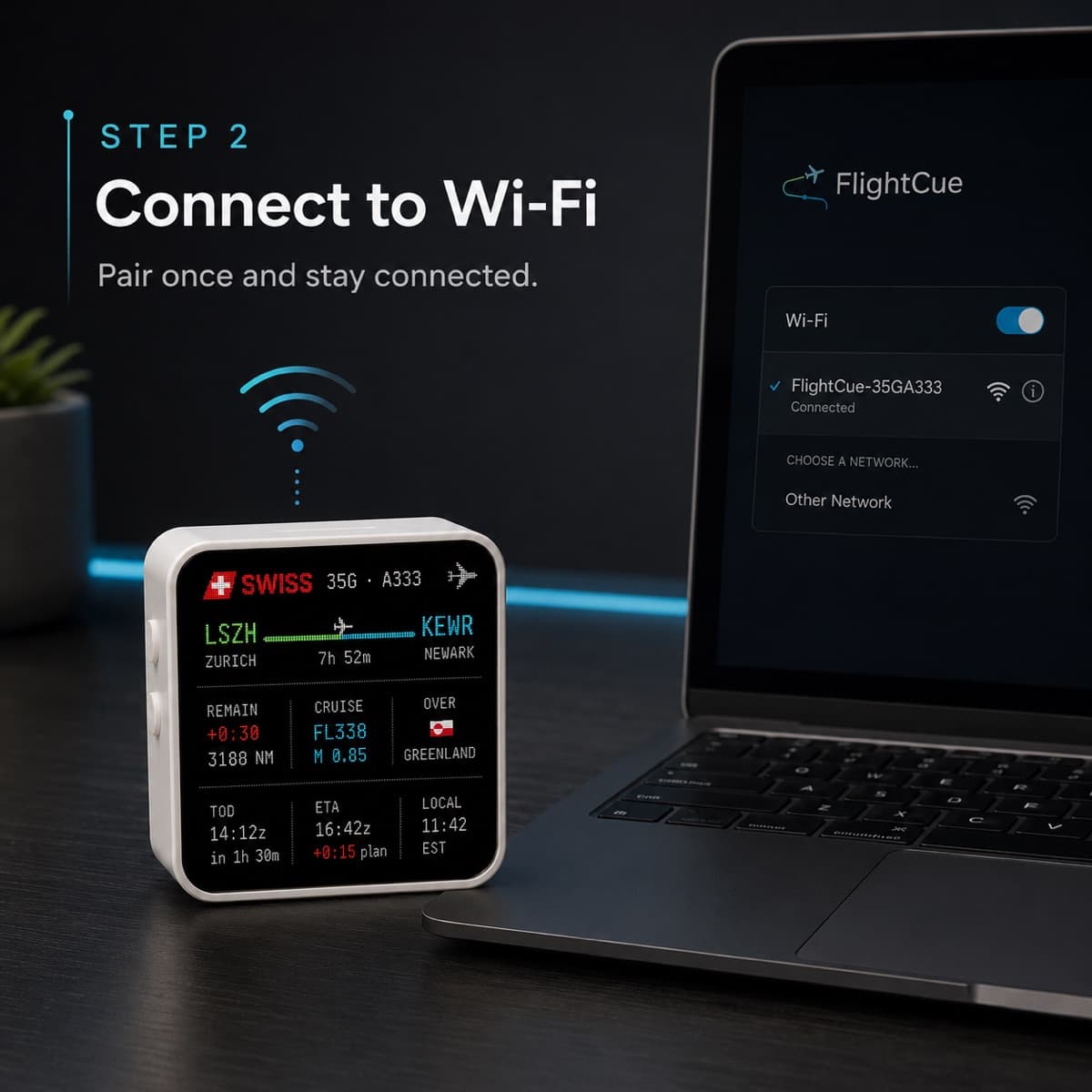
Plug the cube into any USB-C port, scan the QR code, join your Wi-Fi. Sub-60-second setup.
- Step 03
Start flying
Open MSFS (or log on to VATSIM). Live flight data appears on the display automatically.
- MSFS
- Bridge
- Wi-Fi
- Cube
Best for offline single-player. Requires the FlightCue Bridge Windows app.
- VATSIM
- flightcue.app
- Wi-Fi
- Cube
Best for VATSIM streamers + online flyers. No PC app needed.
Try it with a real flight.
Search any live VATSIM callsign right now — or drop your SimBrief username — and watch the cube render real data. The cube on your desk will look exactly like this.
Or use SimBrief OFP (optional)

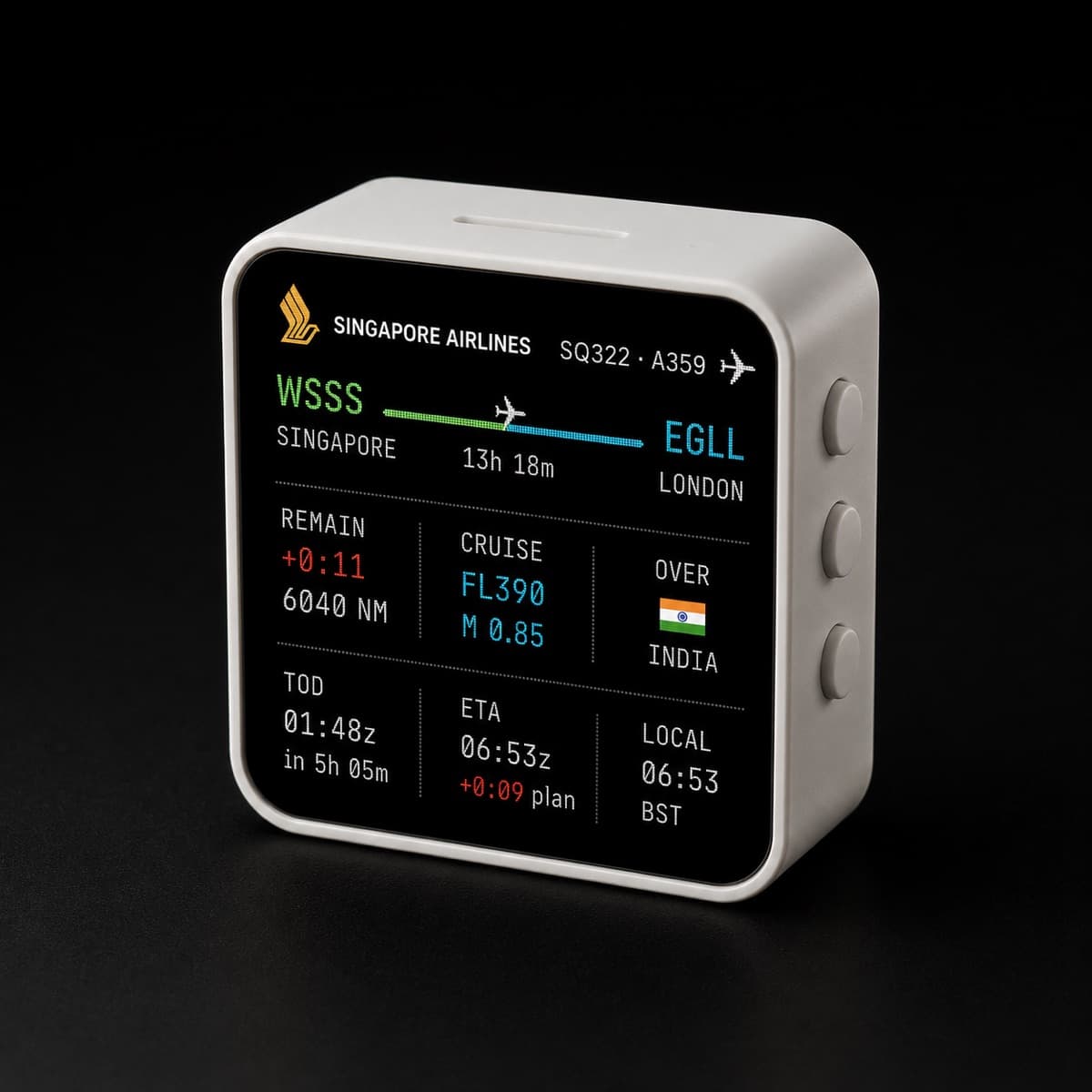
↑ This is exactly what the cube on your desk will show. 1:1.
Hear where you fly.
Cross into German airspace — hear DLF. Drift over France — Radio France fades in. Greenland overhead — KNR Radio live. Built-in audio codec, automatic, no setup.
- BBC Radio 4United Kingdom
- France InterFrance
- DeutschlandfunkGermany
- SRF 1Switzerland
- Ö1Austria
- NPO Radio 1Netherlands
- Tomorrowland One World RadioBelgium
- RAI Radio 1Italy
- LOS40 (Spain)Spain
- RTÉ Radio 1Ireland
- KNR Radio (Greenland)Greenland
- NPR LiveUnited States
- A MISSISSIPPI BLUESCanada
- Alpha FM 101.7 MHz (São Paulo - SP)Brazil
- ABC Radio NationalAustralia
- Gotanno FM 89.2 (Tokyo)Japan
Same audio stream the cube would open. 30 seconds, then auto-pause.
Not every stream plays in the browser — HLS and region-locked streams work only on the cube hardware (ESP-IDF audio decoder).
Hear your descent coming.
Pick a tone, set the distance, and the cube cues you 50 NM before Top of Descent so you can set up the FMC, brief the approach, and finish your coffee.
Your settings persist on this device. On the hardware cube, settings will sync via the in-cube Wi-Fi setup screen (Phase 3 firmware).
Touch nothing. Control everything.
Six-axis IMU reads every move. Tap the cube to toggle. Rotate it to skip stations. Shake it to mute. Pick it up — it knows.
- TAPToggle radio on / off
- ROTATENext station
- SHAKEMute
- HOLDVolume slider
Powered by the onboard QMI8658 6-axis IMU — 3-axis accelerometer + 3-axis gyroscope. Calibrated per-cube on first power-on.
Plug it in. Or don't.
Drop the USB cable, grab the cube, watch your flight from the couch. AXP2101 power-management plus a Lithium battery — yours when you want untethered ambient.
- Lithium battery header3.7V via MX1.25 connector (rechargeable, optional add-on)
- USB-C anytimePrimary power for always-on use
- AXP2101 PMUManages charge / discharge / power budget
- Low-power modeIdle screen + radio off — extends runtime
- RTC backupPCF85063 keeps time across power-cycles
Built for every sim setup.
Full cockpit, joystick + keyboard, laptop or compact desk — FlightCue gives your simulator a dedicated information display.
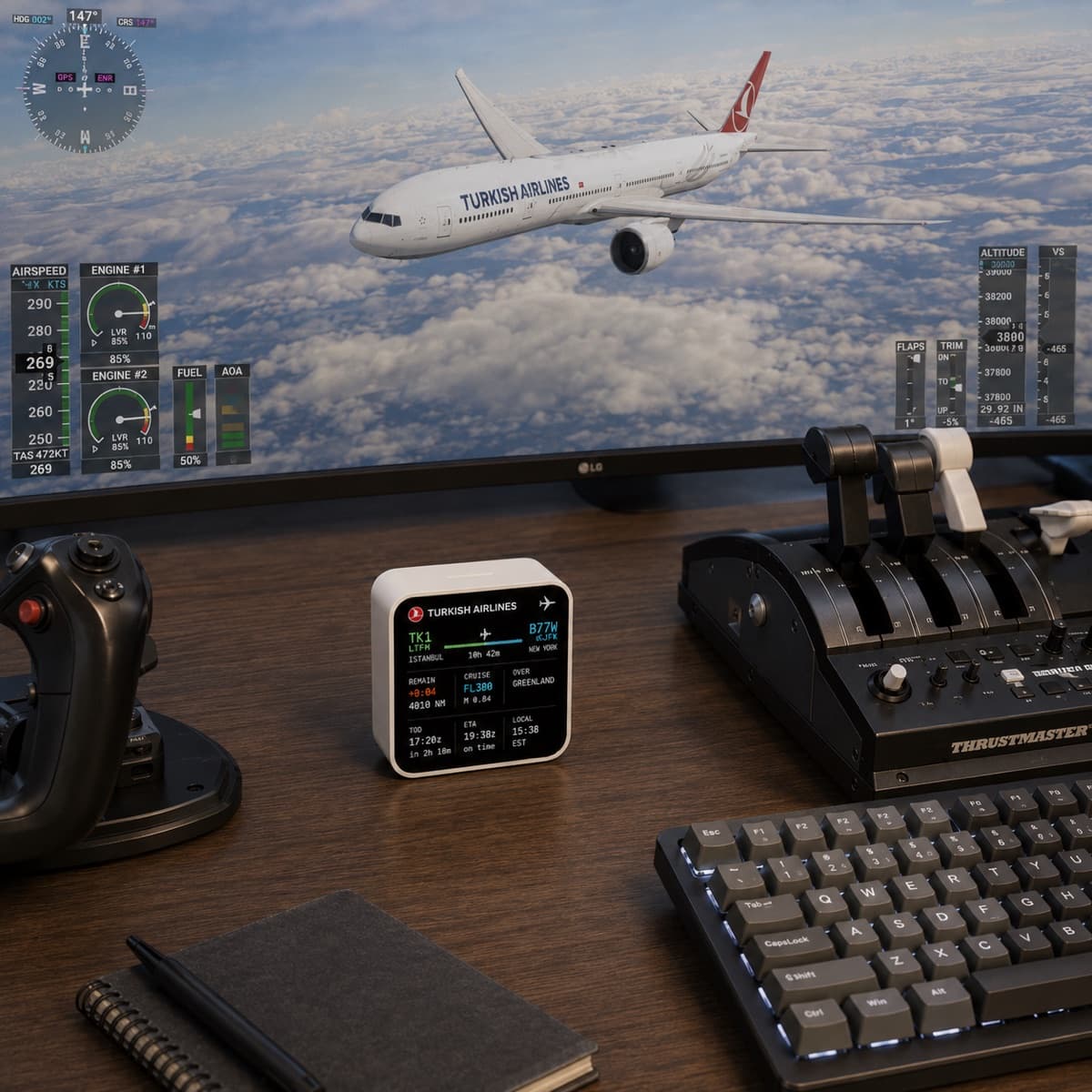
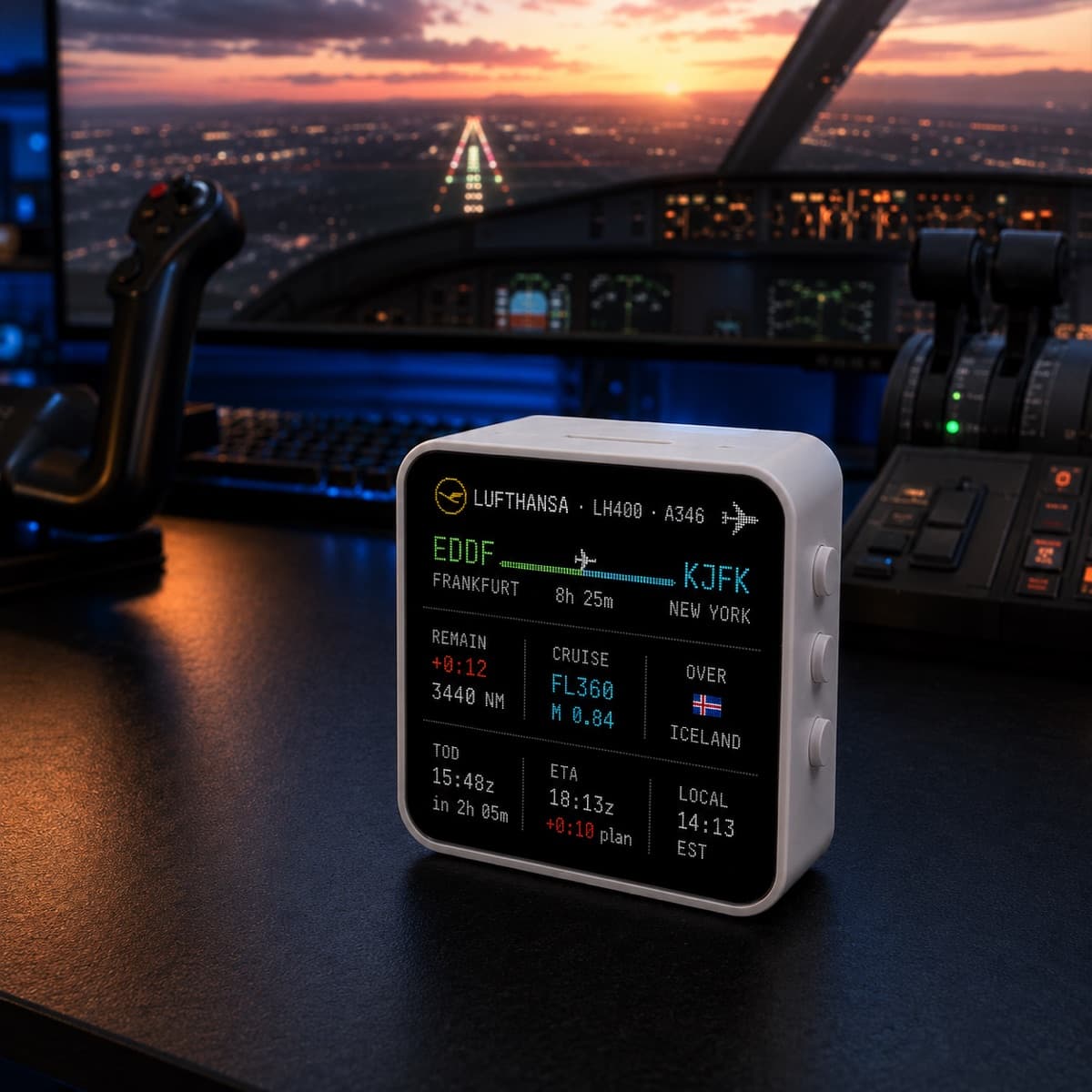
Full sim rig
Cockpit-style desk with yoke, throttle quadrant and rudder pedals.
Streamer desk
Cube on stream-cam, clean-take VATSIM overlay through OBS.
Minimal setup
Joystick + keyboard. Just enough flight to enjoy long-haul cruise.
Laptop setup
On the road or at the kitchen table — cube next to the laptop.
Travel setup
Slip the cube in your bag. Plug into hotel TV USB-C if you have to.
One display. Many ways to fly.
Long-haul flights
Track ETA, remaining distance and local arrival time while you sip coffee.
VATSIM sessions
Keep route + status visible so you can focus on ATC instead of menu-diving.
Streaming
A clean physical flight dashboard on camera. Chromakey-friendly black BG.
Career mode
Make your desk feel more like a real cockpit. Tiny detail, big immersion.
Travel setup
Pack it. All you need on arrival is power + Wi-Fi + your sim PC.
Six reasons to put a cube on your desk.
The full feature stack — three of them are hardware-exclusive and shape the $49.99 price.
- UNIQUE
Live Country Radio
Auto-plays the national station as you cross borders. Hear BBC Radio over the UK, Radio France over France, KNR over Greenland — all built-in via the onboard audio codec.
- IMU-SENSED
Tap-the-Cube Controls
Tap to toggle. Rotate to skip. Shake to mute. The 6-axis IMU reads every move — no menu diving.
- PORTABLE
Battery Mode
Drop the USB cable. Lithium battery + AXP2101 power-management lets you grab the cube and watch your flight from the couch.
Wi-Fi 6 Live VATSIM
Direct Wi-Fi 6 link, 15-second polling. No companion app, no phone tether.
480×480 AMOLED Touch
16.7M colors, true blacks, sunlight-readable. Capacitive multi-touch for direct control.
OBS Stream-Ready
Black background + chromakey-friendly. The cube on your desk also appears in your stream via the matching overlay.
The full spec sheet.
Built on the Waveshare ESP32-C6 Touch AMOLED 2.16″ — extended with FlightCue housing and firmware.
- Display
- 2.16" AMOLED Touch · 480 × 480 · 16.7M · capacitive multi-touch
- SoC
- ESP32-C6 · 32-bit RISC-V · 160 MHz
- Memory
- 512 KB HP SRAM + 16 KB LP SRAM · 16 MB external flash · 320 KB ROM
- Wireless
- Wi-Fi 6 (802.11ax) · Bluetooth 5 LE · IEEE 802.15.4 (Zigbee 3.0 / Thread)
- Audio
- Low-power audio codec — Country Radio + voice briefings
- Sensors
- QMI8658 (6-axis: 3× accelerometer + 3× gyroscope) · PCF85063 (battery-backed)
- Power
- AXP2101 · USB-C 5V · 3.7V Lithium via MX1.25 header (rechargeable, optional add-on)
- Controls
- Capacitive multi-touch · KEY + BOOT (programmable) · IMU-based: tap / rotate / shake
- I/O
- I2C · UART · USB-C
- Housing
- ~50 × 50 × 42 mm (final TBD) · ~180 g · matte black ABS, soft-touch finish
- Setup
- QR-Code pair (no app)
- Updates
- OTA via Wi-Fi
Why FlightCue instead of another screen?
- Desk footprint✗ Takes 25–55 cm of desk space✓ 5×5 cm — fits anywhere
- Setup✗ Drivers, displays, windows✓ Plug USB-C, scan QR, done
- Always glanceable✗ Hidden behind other windows✓ Always visible, never blocked
- Built for sim✗ Generic — anything looks OK✓ Designed only for flight data
- Audio cues + radio✗ Adds another speaker on desk✓ Onboard codec — radio + TOD chime built-in
- Portable✗ Stays on the desk✓ Battery option — grab it and go
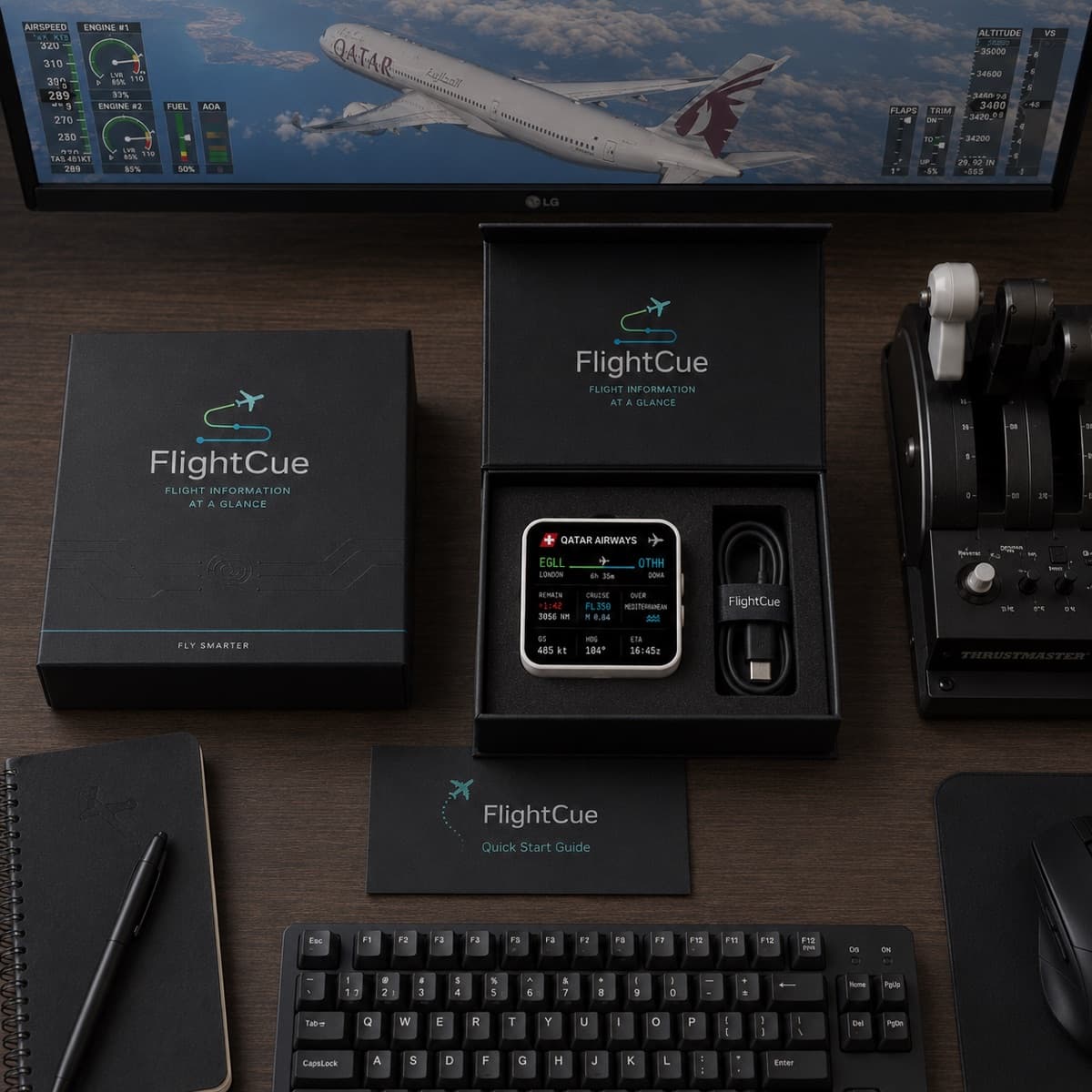
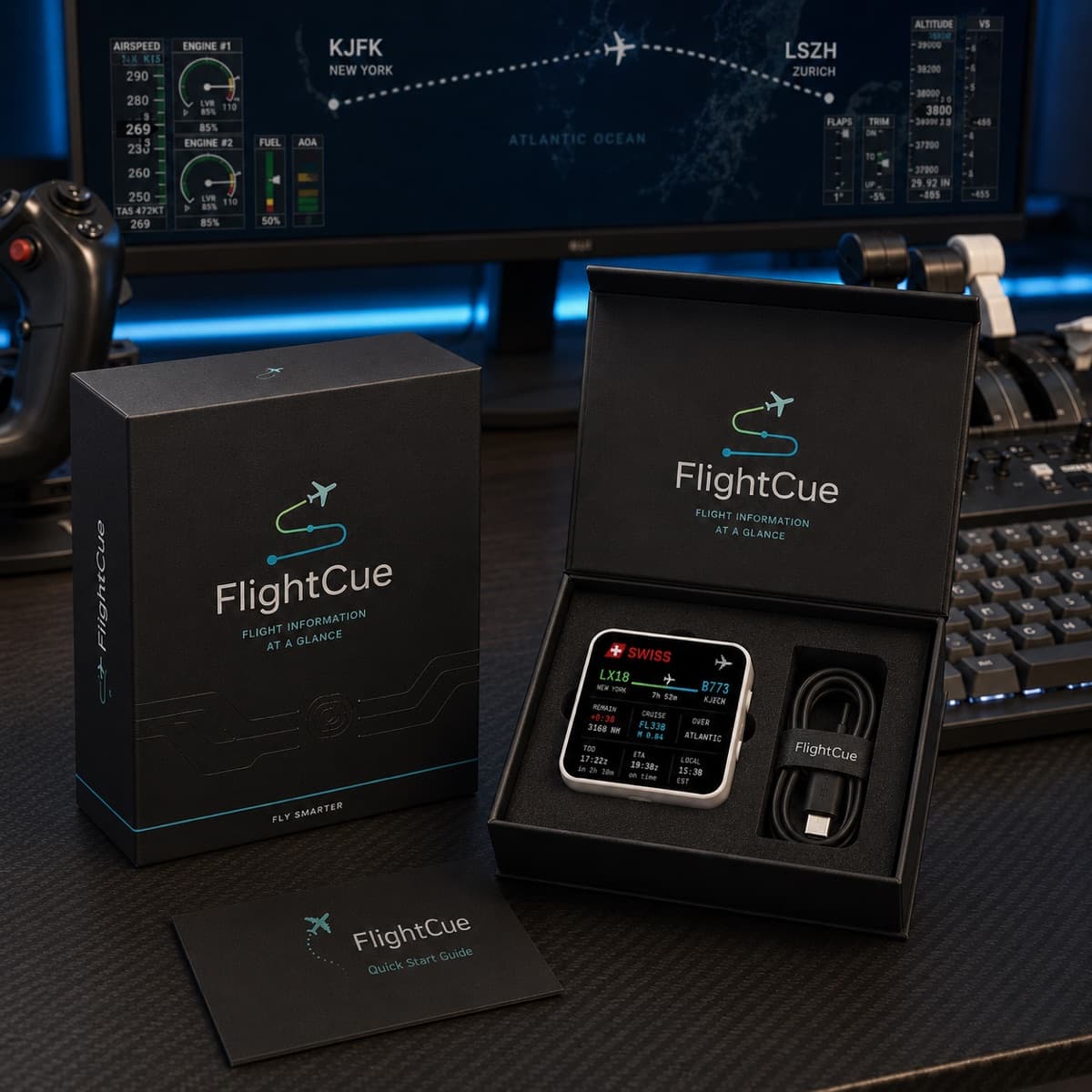
Premium unboxing. Ready for takeoff.
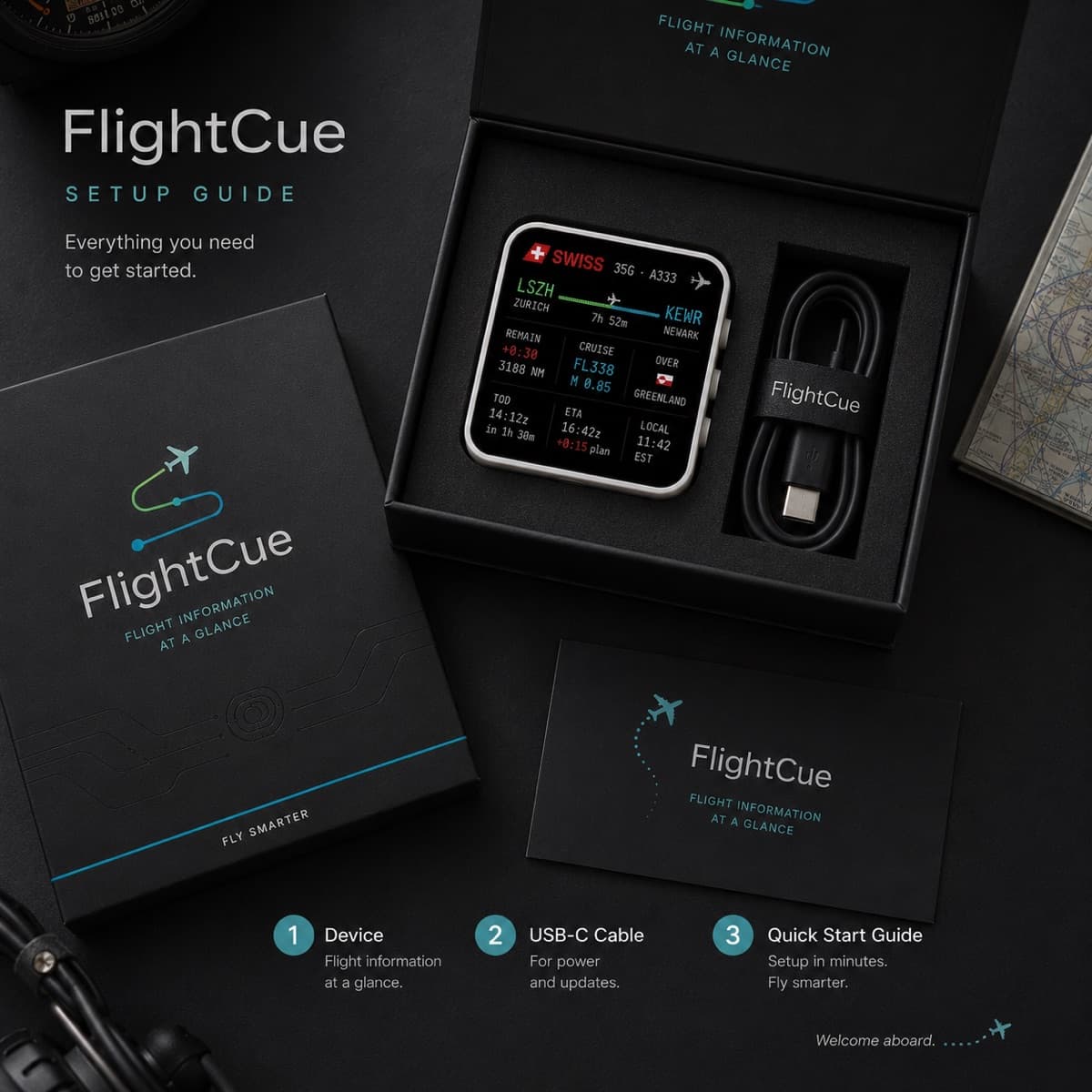
FlightCue ships in matte-black packaging that feels like a high-end aviation gadget — because it is one.
- FlightCue display
- USB-C cable (1.5 m, braided)
- Quick start guide
- Matte black premium packaging
FlightCue Bridge software (for MSFS) is a free download. VATSIM mode requires only Wi-Fi.
Join the first FlightCue batch.
$10 today reserves your unit. We email a second payment link with the balance ($39) when production ships on June 1, 2026.
We have had a lot of inquiries and want to focus production on people who genuinely want a cube. The $10 deposit filters for serious reservations — and it counts toward the full price.
$10 reserves your unit. We email a second payment link with the balance ($39) + your shipping address once production is ready (June 1, 2026). Deposit refundable any time before shipment.
- FlightCue display
- USB-C cable
- Quick start guide
- FlightCue Bridge software (MSFS)
- VATSIM cloud mode (no PC required)
- Free OBS overlay software
- Early supporter updates
Secure payment via Stripe. Deposit refundable any time before June 1, 2026.
Missed the first 100?
Get the next batch.
The first 100 units go to deposit-payers (above). Once those are gone, the next batch opens — and the people on this list get the heads-up first.
- No payment, no commitment — just an email
- First notification when batch #2 opens
- Or skip the wait — reserve with a $10 deposit above ↑
Second-batch waitlist
We email you when the next production batch opens.
No spam. One email when batch #2 opens. Unsubscribe any time.
Quick answers.
A free SimBrief account (for flight plans) + a free VATSIM account (for live position data) + Wi-Fi. That's it.
The cube reads your live VATSIM position, looks up the country, and streams that country's public-broadcaster radio over Wi-Fi via the built-in audio codec. Tap to mute or skip — the 6-axis IMU handles gestures.
Launch coverage is ~50 countries (Europe, North America, Japan, Australia, NZ, plus selected others). Full target is 180+ — the seed list in src/data/country-radio.json is OTA-updatable, and the community can suggest additions.
Single tap = on/off, rotate cube = next station, shake = mute, hold = volume slider. All powered by the onboard QMI8658 6-axis IMU (accelerometer + gyroscope).
The battery is optional — add a 3.7V Lithium cell to the MX1.25 header. Typical untethered runtime is 2-4h depending on screen brightness and audio. USB-C is the primary power source anytime.
Yes — the free OBS overlay browser-source works without the cube. You get the cube visuals on stream but NOT the radio, gestures, battery or TOD alert — those require the physical hardware.
No. One-time payment. No SaaS, no monthly fee, no DRM.
First-batch hardware ships June 1, 2026 — limited to 100 units. Reserve with a $9.99 refundable deposit. The remaining $39.01 is charged automatically when your cube ships. Or join the free waitlist with just an email (no payment).
Yes — fully refundable any time before June 1, 2026. Just reply to the Stripe receipt email or contact support@flightcue.app. If we miss the June 1 ship date by more than 30 days, automatic refund.
14-day return window from delivery date, hardware in original condition + packaging. Free OBS overlay software is non-refundable (it's bundled at no cost).
Your flight data.
Always in sight.
Reserve one of the limited $49 early-access spots and help bring FlightCue to the first batch.